

The change that breaks your export
Your PIM vendor announced xChange 2.0 support in December. You exported a test file, validated it against the ETIM JSON schema, and 40% of your products failed. Error messages about missing unit references, unrecognized packaging codes, mandatory environmental fields your PIM doesn't even have.
This isn't just a format migration. The data model itself changed. How you encode numeric features, how you group variants, what fields you need before a feed validates. All different. Before you migrate, validate your current ETIM BMEcat XML so you are not carrying namespace and mandatory-field errors into the xChange project.
xChange 2.0 isn't BMEcat wrapped in JSON. Five structural changes will break your existing mappings. Numeric values split from units. Environmental data is mandatory now. Packaging uses closed MDX codes. 119 new ETIM 10 classes split old ones. Variant groups work differently. Most PIM exports still treat it as BMEcat-in-JSON and fail schema validation.
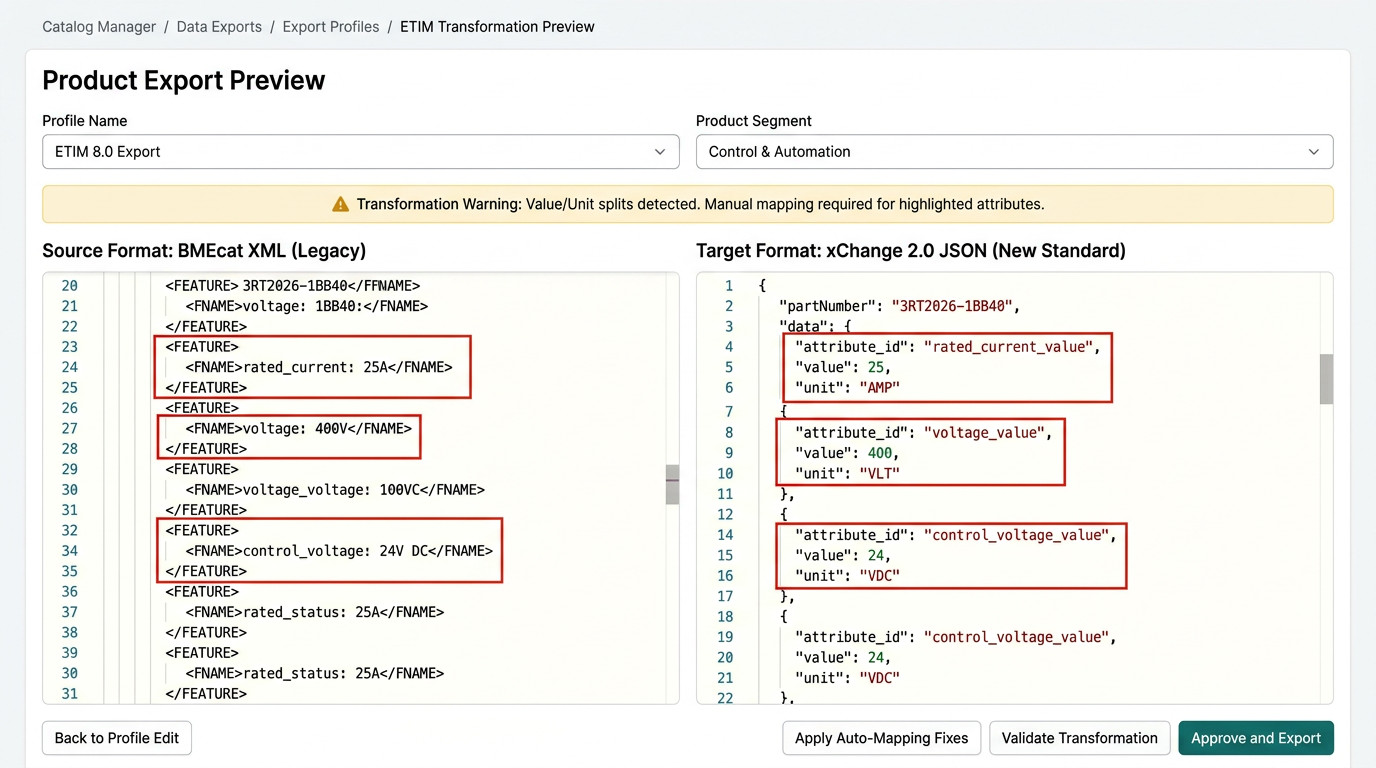
BMEcat vs. xChange 2.0: what moved
XML to JSON is the visible part. The structural breaks underneath are what actually cause failures.
| Aspect | BMEcat 2005 | xChange 2.0 |
|---|---|---|
| Format | XML with FAB-DIS guidelines | JSON with schema validation |
| Numeric features | Alphanumeric '25A' in one field | Separate: value 25, unit EU570032 |
| Environmental data | Optional sustainability fields | Mandatory LCA/EPD references |
| Packaging | Free-text descriptions | Closed MDX code list |
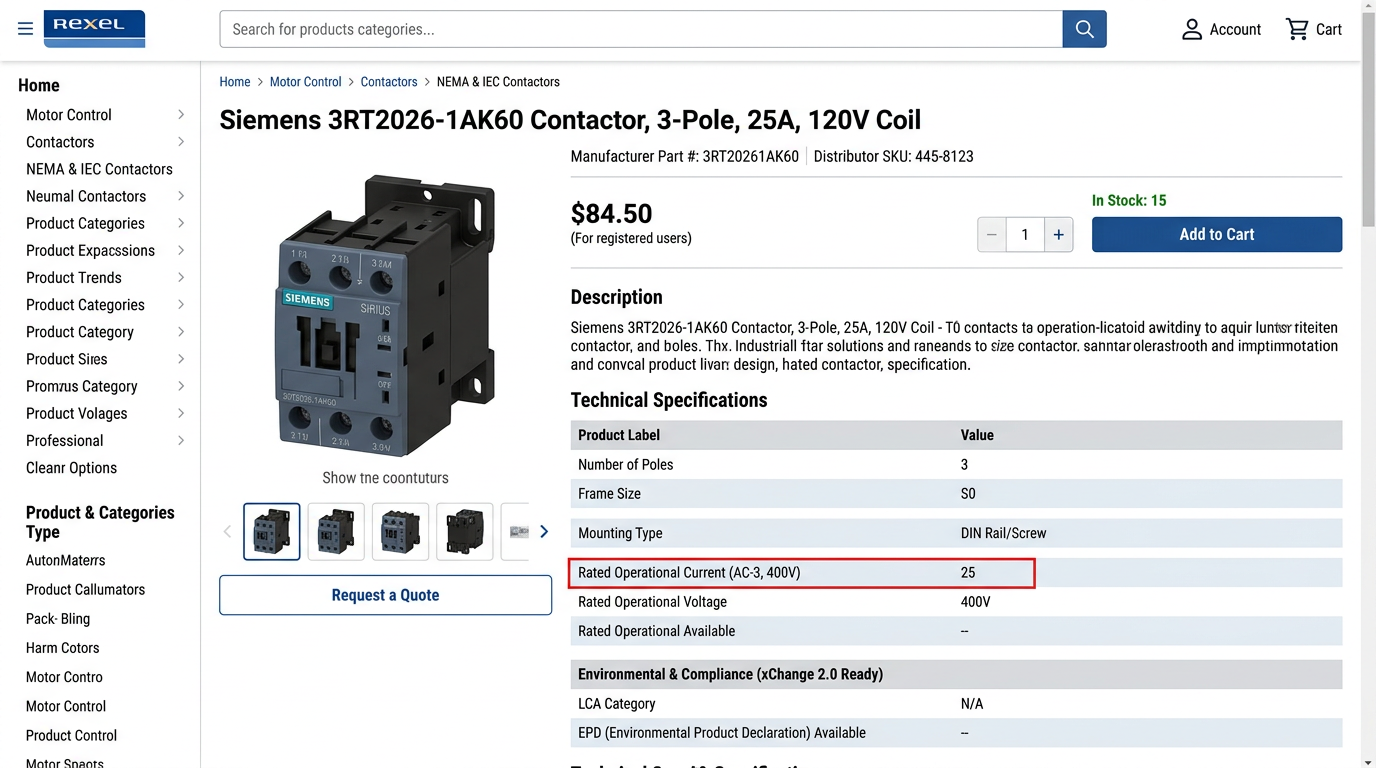
Five breaking changes that affect your mappings
1. Numeric values now separate from units
BMEcat let you send '25A' as an alphanumeric string in the FVALUE tag. xChange 2.0 requires a numeric value (25), a separate unit reference (EU570032 for ampere), and optional tolerance and range fields.
BMEcat XML (alphanumeric)
<FEATURE>
  <FNAME>EF000008</FNAME>
  <FVALUE>25A</FVALUE>
</FEATURE>
xChange 2.0 JSON (structured)
{
  "featureId": "EF000008",
  "value": 25,
  "unitId": "EU570032"
}
Any feed that embeds units in the value string will fail schema validation. The error occurs at parse time, before a single product reaches your customer's PIM.
2. Mandatory environmental data fields
xChange 2.0 added required LCA and EPD fields. If your PIM doesn't capture them, your export fails validation.
Four new mandatory fields: CO2 equivalent (numeric kg per product), recyclability percentage, EPD reference ID, and material composition using MDX codes. Supplier PDFs rarely structure this data. "Eco-friendly housing" doesn't map to any schema field.
No optional fallback on these. If your products don't have EPD references, you either request them from the manufacturer or pull those products from the feed.
3. Packaging materials now use closed MDX codes
BMEcat allowed free-text packaging descriptions ('cardboard box with foam insert'). xChange 2.0 requires MDX codes from a closed list.
Free-text 'cardboard box' maps to MDX000123 (corrugated cardboard). 'Plastic shrink wrap' maps to MDX000456 (polyethylene film). Multiple materials require an array of MDX codes, one per layer. If packaging isn't captured at all, the feed fails validation. No workaround.
The MDX code list is closed. If your packaging type isn't on it, you can't export that product until you find the closest match or request a new code from ETIM International.
4. Product classes that split in ETIM 9 and 10
ETIM 10.0 added 119 new classes. Several old classes were split based on application features, so a one-to-one mapping from ETIM 8 no longer works.
Contactor class split in ETIM 10
| Version | Class code | What maps here |
|---|---|---|
| ETIM 8 | EC002366 | All contactors and intelligent control elements |
| ETIM 10 | EC002366 | Standard contactors only |
| ETIM 10 | EC002370 | Intelligent control elements (products with EF003851) |
Migration rule: products with application control features (EF003851) move to the new class. Standard contactors stay in the original class.
You can't batch-migrate every contactor to the same class anymore. Some of them belong elsewhere now. Check feature values per product. The ETIM Viewer change codes list tells you exactly which classes got split.
5. Variant modeling structure changed
BMEcat listed color variants as separate products. xChange 2.0 groups them under a parent with a variant-defining feature.
Before (BMEcat): Three SKUs
- CG-M20-RED (red cable gland, M20)
- CG-M20-BLU (blue cable gland, M20)
- CG-M20-GRN (green cable gland, M20)
After (xChange 2.0): One product group
- Parent: CG-M20 with color as variant feature
- Child variants reference parent, inherit shared features
This changes how your PIM exports product families. If you send three separate products, the schema rejects them as duplicate entries.
Migration checklist with effort estimates
Export one product class in both BMEcat and xChange 2.0. Compare how numeric features encode (15 minutes per class).
Search for alphanumeric values with units in the string. Flag every feature that needs splitting (3-5 minutes per class).
Use ETIM Viewer change codes to identify classes affected by ETIM 9/10 splits (5 minutes per class).
Check LCA/EPD population, packaging MDX codes, and variant group structure (10 minutes to spot gaps across catalog).
3-5 minutes per class if mappings survive. 15-20 minutes per class if you need to remap features or restructure variants.
- Exported raw xChange 2.0 file from PIM
- Compared numeric feature encoding to BMEcat baseline
- Identified classes with deprecated features using ETIM Viewer
- Confirmed variant group structure exports correctly
- Checked environmental data population percentage
- Validated one file against JSON schema
- Counted classes needing feature remapping
- Flagged packaging descriptions missing MDX codes
Prioritize by migration risk
Contactors and circuit breakers are high risk. Classes split in ETIM 10 and many numeric features need restructuring (15-20 min per class). Cable management (glands, conduit) is high risk. Complex variant structures plus class splits (15-20 min per class). Lighting products are medium risk. New environmental fields and variant modeling changes (5-10 min per class). Simple accessories (terminals, markers) are low risk. Mostly alphanumeric features, no class changes (3-5 min per class).
What this means for your PIM export
Most PIM vendors shipped an xChange 2.0 export that wraps BMEcat fields in JSON. Validate one file against the ETIM JSON schema before you send 5,000 products to a distributor.
The schema rejects embedded units, missing MDX codes, and malformed variant groups. If you've got a 500-class catalog and 30% of classes need rework, expect 25-40 hours of validation and remapping. Budget 1-2 sprints. A single week won't cut it.