

One Product, Five Feeds: How to Stop Maintaining Them Separately
A catalog manager at a mid-sized distributor launches a new Leviton GFCI receptacle. She spends 45 minutes formatting it for the website. 90 minutes getting Amazon Business right, because she keeps hitting the 250-byte backend search term limit (not 250 characters, bytes, which means spaces count). 60 minutes filling out the AD eContent template, hunting down the NAED number and converting weight to pounds with two decimals. Another hour finding the UL certification number for ThomasNet. She maintains 58 of the same 73 fields five different ways, just formatted differently.
Build one master record with 70-75 fields. Mapping rules generate each channel's feed at export time. The field overlap between channels is so high that maintaining one superset is less work than five separate spreadsheets.
What each channel actually requires
| Channel | Key requirement | Format constraint | Example for GFNT2-W |
|---|---|---|---|
| Your website | SEO description + structured specs | 12+ key-value pairs for filters | "20A 125V GFCI, Self-Test, White" + voltage: 125V |
| Amazon Business | Title format | Brand + Model + Feature, 200 char max | "Leviton 20A 125V GFCI Receptacle..." (198 chars) |
| AD eContent | NAED number + hazmat flag | Weight in lbs, 2 decimals | NAED: 271234, weight: 0.50 |
Amazon requires Brand + Model + Key Feature format in titles, with a hard 200-character limit. Backend search terms can't exceed 250 bytes, and accented characters count double. AD eContent wants the NAED product number and weight in pounds with two decimals. Your website needs technical specs as separate fields for filters to work.
Each channel reject is its own special frustration. Amazon: "backend search terms exceed 250 bytes." AD eContent: "hazmat flag required." Your own site: filter shows 4 options for the same voltage because three suppliers spelled it differently.
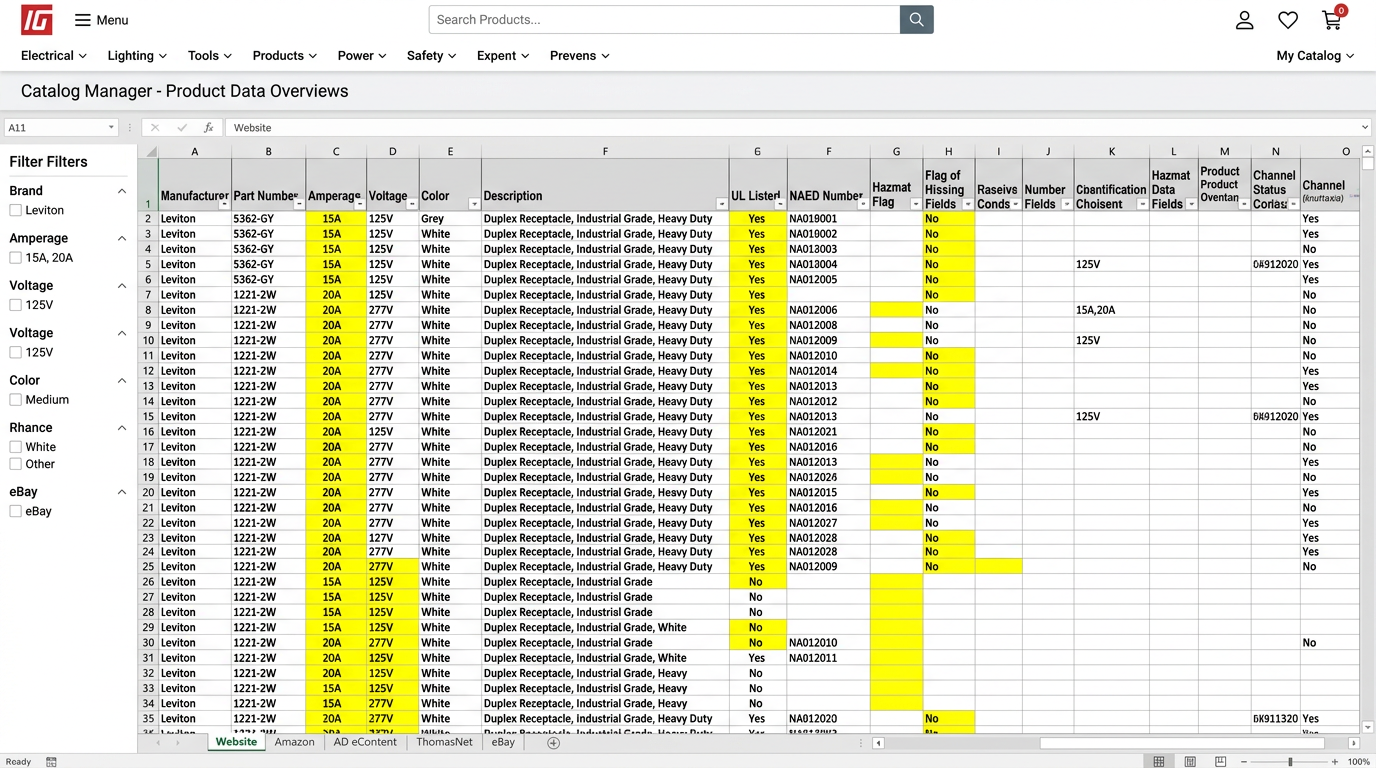
The master record: 25 core fields plus channel derivatives
Core identity (8 fields): mfg_part_number, upc, naed_number, unspsc_code, brand, model, product_type, color_finish
Physical specs (9 fields): amperage, voltage, voltage_type, pole_count, wire_gauge_min, wire_gauge_max, mounting_type, weight_grams, weight_lbs
Compliance (5 fields): ul_cert_number, csa_cert, nec_article, rohs_compliant, hazmat_flag
Marketing content (6 fields): short_description_50, long_description_500, feature_bullet_1 through feature_bullet_3, application
Media assets (4 fields): image_url_1, image_url_2, pdf_spec_sheet, cad_file_url
Channel-specific derivatives (6 fields): amazon_title_formatted, amazon_backend_terms, amazon_bullet_1 through amazon_bullet_3, bigcommerce_url_slug
Logistics (5 fields): package_weight, hs_tariff_code, min_order_qty, lead_time_days, stock_status
The full superset runs 70-75 fields depending on your categories. The idea: store atomic values, then assemble channel-specific formats when you export. That master record only works if the core identifiers and coded values are clean. Validate GTIN barcodes, verify GLNs, and check unit codes before you generate channel feeds from them.
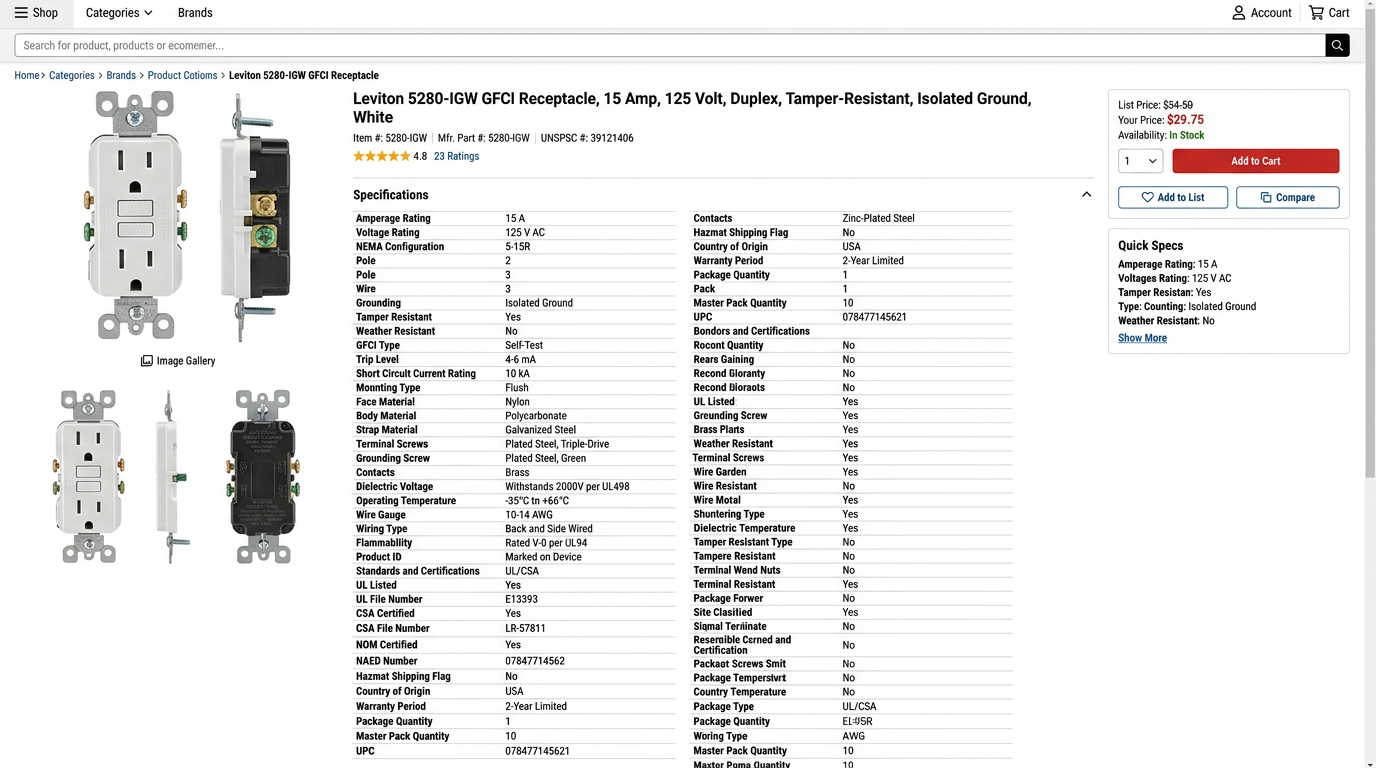
Mapping rules: master record generates each feed
Amazon title: IF product_type = 'receptacle' THEN brand + ' ' + amperage + 'A ' + voltage + 'V ' + product_type + ', ' + key_feature → truncate at 200 chars
Amazon backend search terms: CONCATENATE(product_type, application, compatible_with) → strip spaces, lowercase, remove duplicates, truncate at 249 bytes
AD eContent weight: weight_grams ÷ 453.592 → round to 2 decimals → weight_lbs
BigCommerce SEO URL: LOWERCASE(brand + '-' + model + '-' + amperage + 'a-' + product_type) → replace spaces with hyphens
Hazmat flag: IF product_type IN ('battery', 'aerosol', 'flammable') THEN 'Y' ELSE 'N'
These rules fire when you hit export. You touch the master record once. Channel formatting happens on the way out, not while you're entering data.
Worked example: GFNT2-W across five channels
Master record for Leviton GFNT2-W
| Field | Value |
|---|---|
brand | Leviton |
model | GFNT2-W |
product_type | GFCI Receptacle |
amperage | 20 |
voltage | 125 |
voltage_type | AC |
key_feature | Self-Test SmartlockPro Slim |
ul_cert_number | E2606 |
weight_grams | 226.8 |
weight_lbs | 0.50 |
naed_number | 271234 |
unspsc_code | 39121504 |
Channel outputs from same source data
| Channel | Generated field | Value |
|---|---|---|
| Amazon Business | amazon_title_formatted | Leviton 20A 125V GFCI Receptacle, Self-Test SmartlockPro Slim (GFNT2-W), 198 chars |
| AD eContent | weight_lbs | 0.50 |
| ThomasNet | ul_cert_number | E2606 |
Same 12 source fields, formatted three different ways. No manual retyping. No risk of the Amazon title saying 20A while the AD feed says 15A because someone fat-fingered an update.
Before/after: time per product launch
Before: manual feeds (per SKU)
- Your website: 45 min (write description, format specs, upload images, set filters)
- Amazon Business: 90 min (format title, write bullets, research backend keywords, test byte limit)
- AD eContent: 60 min (look up NAED number, convert weight, fill template, submit)
- ThomasNet: 60 min (find UL cert, upload CAD if available, write description)
- Buying group portal: 30 min (map to taxonomy, fill form)
- Total: 4.75 hours per SKU
After: master record + mapping
- Master record: 60 min (enter all fields once, upload assets)
- Export feeds: 5 min (run export scripts, validate)
- Upload to channels: 10 min (batch upload CSVs)
- Total: 1.25 hours per SKU
- Savings: 3.5 hours per SKU (74% reduction)
For a distributor launching 50 new SKUs per quarter, that's 175 hours saved. Over four full work weeks.
The mistake that kills this approach
Don't store formatted values in the master record. Never put "Leviton 20A 125V GFCI Receptacle..." in a field called amazon_title. Store brand, amperage, voltage, product_type as separate fields and concatenate at export. Facts in, formatted strings out. Store 20 and 125 and AC, not "20A 125VAC".
When Amazon changes their title format (they do, every 18 months), you update one mapping rule and regenerate 500 feeds. You don't touch 500 master records by hand.
How to build this without a $50K PIM
Download the Amazon flat file template, the AD eContent spec, your website's product import CSV.
Find fields that appear in multiple channels and decide on one canonical field name and format for your master.
A structured Google Sheet or Airtable base works for 500-2,000 SKUs if you don't have a PIM.
Build one export per channel that reads the master and applies the mapping rules.
Pick your 20 highest-volume products. Build the master record, generate feeds, and prove the time savings before scaling to 2,000 SKUs.
When to do this
Do this when you add your second channel. If you're only selling on your website, the overhead isn't worth it yet. Once you're filling out Amazon product forms and retyping specs you already entered in BigCommerce, it's time. Don't wait until you're maintaining five channels manually. By then the backfill work feels insurmountable. Amazon Business is growing at 115% compound annual growth in industrial distribution, and most electrical buyers now start their search online. The channel requirements are not going away. They're multiplying.